

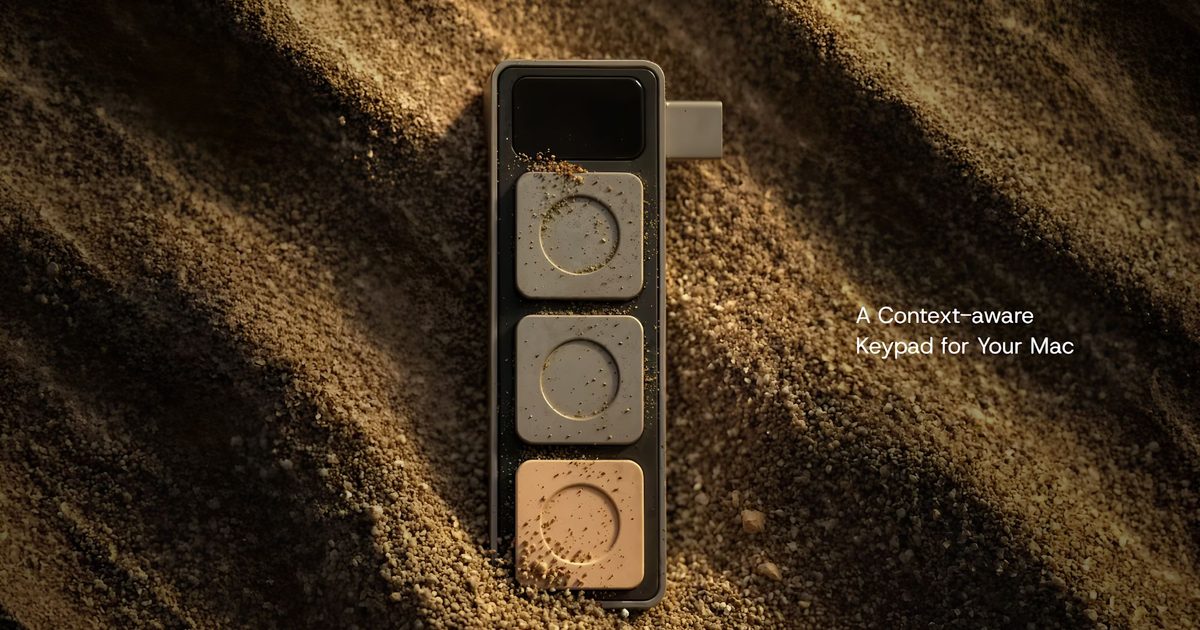
Juggling keyboard shortcuts across different apps has long been a pain point for MacBook users. Whether you're jumping between video calls, spreadsheets, or code editors, remembering the right key combinations can slow down your workflow. A new hardware accessory called Dune aims to solve this by adding three programmable buttons that automatically adapt to whatever application you're using.
What Is Dune?
Created by a startup called Project Mirage, Dune is a compact USB-C peripheral designed specifically for modern MacBooks. It plugs directly into one of the laptop's USB-C ports and draws power from the device, so there's no need for batteries or separate charging. The accessory is custom-molded to fit flush against the side of compatible MacBook models, making it feel like a natural extension of the machine rather than a bulky add-on.
Context-Aware Controls
What sets Dune apart from traditional macro keypads is its ability to sense which application is active and change the buttons' functions accordingly. For example, during a Zoom or Teams call, the three buttons can be configured to mute the microphone, toggle the webcam, or bring the meeting window into focus. In spreadsheet software like Excel or Google Sheets, they become copy, paste, and undo shortcuts. Developers might assign them to build, debug, or commit actions in Visual Studio Code or GitHub.
This context-awareness eliminates the need to manually switch profiles or remember which buttons do what in different apps. The Dune companion app lets users customize these profiles for any application installed on their Mac. You can also set system-wide shortcuts that work regardless of the active window, such as launching a specific app, opening a website, or running a custom script.
AI-Powered Customization
One of the most distinctive features of Dune is its integration with Claude Desktop, an AI assistant from Anthropic. Instead of writing complex automation scripts from scratch, users can describe the action they want in plain English. For instance, you might say, "When I press button one, save the current file and send an email to my team," and Claude will generate the necessary Python code and assign it to that button. This makes creating custom workflows accessible even to users with no programming experience.
The companion app also taps into your calendar, surfacing upcoming meetings and allowing quick actions like joining a call, dismissing reminders, or sending a "running late" message with a single press. This integration bridges the gap between physical input and digital scheduling, reducing friction throughout the workday.
Hardware and Design
Dune measures roughly the size of a small keycap and sits flush against the side of the MacBook, aligning with the device's edge. It communicates over USB-C and requires macOS Sequoia 15 or newer. Currently, it supports MacBook Air models with M2 or newer chips, and MacBook Pro models with M1 Pro or later processors. The device itself is durable, with a matte finish that matches Apple's design language.
Unlike larger macro pads like Elgato's Stream Deck or custom mechanical keypads, Dune is minimalist and unobtrusive. It doesn't add bulk to your laptop bag and works without any additional software beyond the companion app.
How Dune Compares to Existing Solutions
The market already offers several programmable keypads, but most are standalone devices that take up desk space or require batteries. Dune's form factor specifically targets laptop users who want portability and ease of use. Its context-awareness is also more advanced than typical macro software, which often requires manual profile switching. By automatically detecting the active application, Dune reduces cognitive load and streamlines the user experience.
Another advantage is the AI integration. While other devices may offer scripting capabilities, Claude Desktop's natural language interface lowers the barrier for creating complex automations. This could appeal to professionals who aren't developers but still want to optimize repetitive tasks.
Pricing and Availability
Dune is currently available at an introductory price of US$119, after which the regular retail price will be US$149. The order includes the accessory, the companion app, and access to the initial library of pre-configured shortcuts. Future updates are expected to add more app profiles and features.
Broader Implications for Productivity Hardware
As AI becomes more integrated into everyday software, hardware makers are exploring ways to make interactions faster and more intuitive. Dune represents a convergence of physical controls with intelligent automation—a trend that could redefine how we interact with our computers. By moving beyond simple keyboard shortcuts, devices like Dune hint at a future where the line between hardware and software blurs, enabling fluid workflows that adapt to the user's context.
The success of such accessories will likely depend on the ecosystem of app-specific profiles and the reliability of the companion app. If Project Mirage can build a robust library and maintain seamless integration with popular applications, Dune could become a staple for productivity-focused MacBook users. Meanwhile, competitors may adopt similar approaches, potentially leading to a new category of context-aware hardware peripherals.
Ultimately, Dune is a practical answer to the fragmentation of keyboard shortcuts in modern computing. By combining a simple three-button interface with AI-powered customization and calendar integration, it offers a glimpse into a more streamlined way of working—one where the physical act of pressing a button triggers not just a single command, but an entire sequence of actions tailored to the moment.
Source: Digital Trends News