

M6 vs. M5 Pro Mac Mini Buyer's Guide
Apple has released two new Mac mini models: one powered by the next-generation M6 chip and one by the M5 Pro silicon that previously appeared in the MacBook Pro. They share the same footprint and most of the same I/O, but they are radically different in CPU layout, graphics performance, memory capacity, external bandwidth, and AI headroom. The more expensive model is not simply a faster version of the cheaper one. The M6 starts at $899, while the M5 Pro starts at $1,699, leaving an $800 gap that needs careful consideration.
Key facts
- Apple has introduced two new Mac mini models with the M6 and M5 Pro chips.
- The M6 model starts at $899 with a 12-core CPU, 12-core GPU, 16GB of unified memory, and 256GB of storage.
- The M5 Pro model starts at $1,699 with a 15-core CPU, 16-core GPU, 24GB of unified memory, and 512GB of storage.
- The M6 is built on TSMC's 2nm process and has a dual 16-core Neural Engine.
- The M5 Pro is built on TSMC's 3nm process and can be configured with up to 18 CPU cores, 20 GPU cores, 64GB of memory, and 8TB of storage.
- Both models share the same 5.0 by 5.0 inch aluminum design, Wi-Fi 7, Bluetooth 6, and support for up to three external displays.
- Both Mac mini models are available to pre-order now and launch on Tuesday, September 22.
Two approaches to desktop computing
This year's lineup comes from a different chip cadence. Apple placed its newest chip architecture into the entry-level Mac mini, while reserving the high-end desktop slot for a Pro chip built on an earlier process. The M6 is made with TSMC's second-generation 2nm process and is said to be the first Apple chip with two Neural Engines. The M5 Pro uses TSMC's 3nm-class N3P node and is effectively a scale-out part: more CPU cores, more GPU cores, more memory bandwidth, and faster expansion. For people who upgrade every few years, the M6 may be more future-proof in per-core performance and on-device AI. For people who push sustained workloads, the M5 Pro has physical limits that the M6 cannot cross.
Specifications compared
Here are the headline specifications of each model:
- M6 Mac mini: 12-core CPU with two super cores, four performance cores, and six efficiency cores; 12-core GPU; dual 16-core Neural Engine; 16GB, 24GB, or 32GB memory; 256GB, 512GB, 1TB, or 2TB storage; three Thunderbolt 4 ports; 2.5Gb Ethernet; Wi-Fi 7; Bluetooth 6; $899 starting price.
- M5 Pro Mac mini: 15-core or 18-core CPU with up to six super cores and 12 performance cores; 16-core or 20-core GPU; 16-core Neural Engine; 24GB, 48GB, or 64GB memory; 512GB through 8TB storage; three Thunderbolt 5 ports; 2.5Gb Ethernet; Wi-Fi 7; Bluetooth 6; $1,699 starting price.
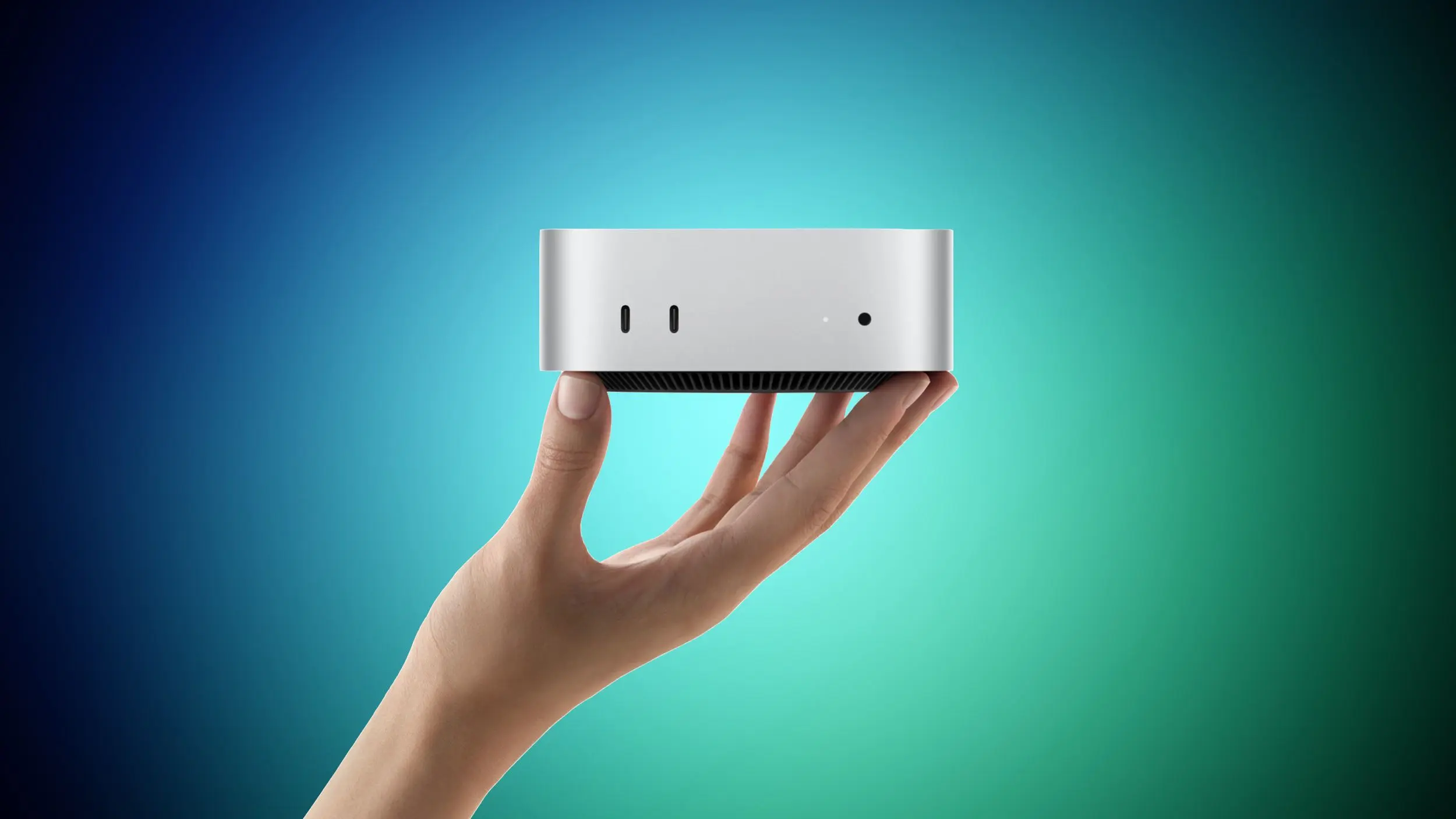
Both systems use the same 5.0 by 5.0 inch aluminum shell in silver and weigh about 1.5 pounds. Both include a headphone jack with high-impedance headphone support, an HDMI port, two front USB-C ports, and native support for up to three external displays. Apple also added neural accelerators inside every GPU core on both models and enabled Genlock over USB-C for synchronizing displays with cameras such as iPhone 17 Pro. The N1 wireless chip brings Wi-Fi 7 and Bluetooth 6 to the Mac mini for the first time. Both run macOS 27 with Apple Intelligence and the new Siri AI.
CPU and GPU details
The M6 is designed to feel fast in ordinary tasks. Apple says the M6 has the world's fastest single-threaded CPU performance. That makes the small Mac mini excellent for web browsing, office work, photo editing, software development, and other latency-sensitive jobs. The M6 includes 12 GPU cores with improved shader architecture, Dynamic Caching, hardware-accelerated ray tracing, and a 50 percent higher geometry rate than previous generations. This is meaningful if you play games, compose in 3D, or want smoother motion graphics on an everyday machine.
The M5 Pro is really about parallel throughput. The base M5 Pro has a 15-core CPU and 16-core GPU, while the upgraded configuration has 18 CPU cores and 20 GPU cores. The extra super cores and performance cores make it much better for long-running compilation, rendering, scientific computing, and multi-app professional workflows. It also carries a third-generation ray tracing engine and a wider memory pipeline. If you pause on one frame or one function while working, you are unlikely to see a big difference. If you want your machine to finish hours of work in less time, the M5 Pro is the stronger part.
Memory and storage
Unified memory is the clearest reason to consider the M5 Pro. The M6 can be equipped with only 16GB, 24GB, or 32GB. That is enough for many mainstream Mac users, including light Apple Intelligence tasks and casual creative editing. The M5 Pro begins at 24GB and can be configured to 48GB or 64GB. Large language model inference, massive browser and developer environments, high-end audio production, and 3D simulations can exhaust even 32GB. If you already know that you need 48GB or more, no M6 configuration can be upgraded to that level.
Storage follows the same pattern. The M6 allows 2TB at most, whereas the M5 Pro can reach 8TB. Most users do not need 8TB of internal flash, but those working with 8K video, camera RAW libraries, local model weights, or virtual machines may want more than 2TB. Both models still have 2.5Gb Ethernet, with an option for 10Gb Ethernet, and external storage remains an option. Still, internal SSD space affects app launching, swap behavior, and cache size.
Thunderbolt 4 vs Thunderbolt 5
Another hard boundary is the port specification. The M6 has three Thunderbolt 4 ports, which move 40Gbps. The M5 Pro has three Thunderbolt 5 ports, with up to 80Gbps bidirectional bandwidth and a 120Gbps high-bandwidth mode. This makes the M5 Pro dramatically better for high-speed external SSDs, pro video capture devices, and large data transfers. Thunderbolt 5 is also central to Apple's support for clustering multiple Mac mini machines over a cable. With several units connected, teams can run large AI models entirely on device. The M6 cannot participate in that same cluster topology because it lacks the bandwidth.
AI performance and future software
Apple's M6 chip introduces a dual 16-core Neural Engine. Apple says this design can deliver up to twice the peak compute of previous Neural Engines. For on-device AI, local language model summarization, image generation, video analysis, and machine learning development, the M6 could be preferable to the M5 Pro even though it has fewer CPU and GPU cores. The M6 also includes Apple Intelligence features in macOS 27, and the split Neural Engine should keep it resilient as AI tools become more common in the next few years.
That said, the M5 Pro is not weak in AI. Its single 16-core Neural Engine is faster than older M-series parts, but its main advantage for heavy AI work is memory capacity. Many models must fit in unified memory, and a 64GB M5 Pro Mac mini can handle larger context windows and bigger batches than a 32GB M6. The right AI choice depends on whether your workload is small and frequent or large and memory-bound.
Price traps and configuration advice
It can be tempting to fully load the M6. Upgrading to 32GB of memory and 2TB of storage significantly increases the price. When fully configured, the M6 gets close to the M5 Pro's base price, yet it still has 12 CPU cores, 12 GPU cores, Thunderbolt 4, and a 170GB/s memory bandwidth ceiling. The M5 Pro base model, by comparison, includes a 15-core CPU, 16-core GPU, 24GB of memory, 512GB of storage, 307GB/s memory bandwidth, and Thunderbolt 5. For professional workloads, that configuration offers better value than a nearly maxed-out M6.
Memory bandwidth is worth explaining. The M6 provides up to 170GB/s, while the M5 Pro offers 307GB/s. This bandwidth affects all operations that read and write data, including GPU rendering, video decode, virtual memory, and file manipulation. The difference is not obvious in short bursts but becomes important when multiple bandwidth-hungry applications are competing.
Who should buy the M6 Mac mini?
The M6 model is the default recommendation for most buyers. It starts at the same price as the M5 model it replaces, but it gives you the newest 2nm chip, a 12-core CPU, and a dual Neural Engine. It is ideal for students, office professionals, developers working on apps that are not huge to compile, photographers, musicians, and people who want a reliable desktop that will feel snappy for years. It is also the only Mac mini that pairs the latest Apple silicon architecture with the compact enclosure. If you do not need more than 32GB of RAM, more than 2TB of storage, or more
Source: MacRumors News