

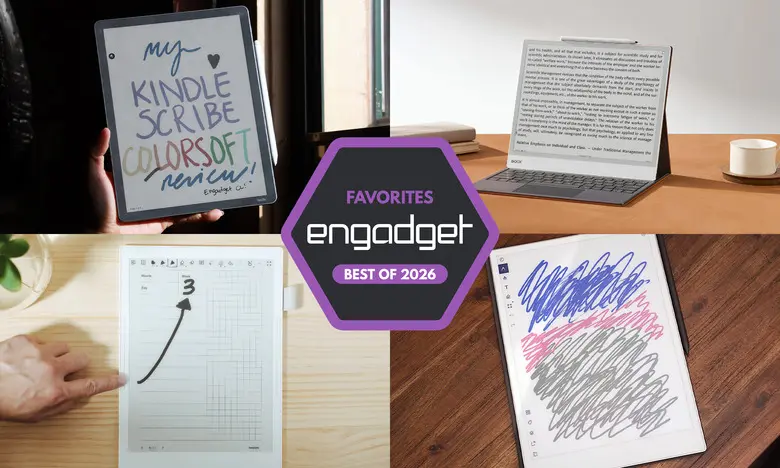
E Ink tablets have evolved into serious tools for readers and writers who want a distraction-free digital notebook. They combine the tactile feel of pen-and-paper with storage, syncing, and search features that physical notebooks cannot match. Over the past few years, these devices have grown in size, added color screens, and even gained access to app stores. With so many options available, we have tested dozens of models to find the best E Ink tablets for 2026.
Best E Ink tablets for 2026
Best E Ink tablet for most people: reMarkable 2
Screen size: 10.3-inch | Battery life: Two weeks | Network connectivity: Wi-Fi | Capacity: 8GB | Included stylus: No, extra cost | Supported file types: PDF, EPUB
The reMarkable 2 is the best all-around E Ink tablet because it balances writing quality, reading features, and ease of use better than any other device we tested. It has a 10.3-inch monochrome display and weighs under a pound, making it one of the sleekest and most portable E Ink tablets available. The design is refined, with beige bezels and a slim silver edge for attaching accessories like the folio case and Type Folio keyboard.
The writing experience is outstanding. The optional Marker Plus includes a built-in eraser, while the standard Marker is also tilt- and pressure-sensitive. Both pens require no batteries and there is little to no lag when writing. The display refreshes quickly and feels close to real paper. In our testing, almost every E Ink tablet has low latency, but the reMarkable 2 still stands out for its natural feel.
For reading, the reMarkable 2 supports PDF and EPUB files. Users can add files through the desktop app, mobile app, or by connecting Google Drive, Microsoft OneDrive, or Dropbox. The Read with reMarkable Chrome extension is another convenient way to send online articles to the tablet, either as text-only files or PDFs. Marking up documents and articles is straightforward, with eight brush types, adjustable line thickness, and the ability to convert handwritten notes into typed text.
The main downside is the price. The tablet costs $399 with the standard Marker, or $449 with the Marker Plus. A reMarkable Connect subscription, which adds unlimited cloud storage and mobile app editing, costs $3 per month or $30 per year. New buyers get a one-year trial. Still, for those seeking a dedicated writing tablet that is simple to use, the reMarkable 2 remains the best choice for most people.
- Pros: Great reading and writing experience; Google Drive, Microsoft OneDrive and Dropbox support; easy to use
- Cons: Marker costs extra; expensive; unlimited cloud storage comes with a subscription cost
Best premium E Ink tablet: reMarkable Paper Pro
Screen size: 11.8-inch | Battery life: Two weeks | Network connectivity: Wi-Fi | Capacity: 64GB | Included stylus: No, extra cost | Supported file types: PDF, EPUB
The reMarkable Paper Pro takes everything great about the reMarkable 2 and adds a larger 11.8-inch color display, faster performance, and a more premium design. It uses a modified version of E Ink's Gallery 3 technology called Canvas Color, which can display 20,000 colors. The color screen is useful for highlighting, annotating, and organizing notes in a way that monochrome tablets cannot match.
The Paper Pro is powered by a 1.8GHz quad-core processor with 2GB of RAM and 64GB of storage. These upgrades are noticeable: page refreshes are quicker, transitions are smoother, and pen latency is just 12ms. The design is also elegant, with a 5.1mm-thick body and grooved edges that make it feel like a luxury legal pad. It comes with a backlight, so you can write in the dark, and the color display lets you use multiple colored pens and highlighters in notes.
Software remains simple and distraction-free, just like the reMarkable 2. The tablet is designed for focused writing and reading rather than endless app notifications. The optional Connect subscription is still required for unlimited cloud storage and syncing, but the device's 64GB of internal storage may be enough for many users. At $629 for the base bundle, the Paper Pro is an investment. However, for those who want the best writing experience in a premium package, it delivers.
- Pros: Color is a welcome and useful addition; backlight lets you work in dark environments; vastly improved performance
- Cons: Expensive
Best e-reader E Ink tablet: Amazon Kindle Scribe
Screen size: 11-inch | Battery life: Months | Network connectivity: Wi-Fi, Bluetooth | Capacity: Up to 64GB | Included stylus: Yes | Supported file types: AZW3, AZW, TXT, PDF, unprotected MOBI, PRC natively and more
The latest Amazon Kindle Scribe improves on an already strong formula. It has a larger 11-inch screen with slim, uniform bezels, a faster processor, and an improved front light system. The included stylus feels comfortable to hold and magnetically attaches to the side of the tablet. Writing latencies are even lower than before, making the device feel snappy when taking notes or marking up documents.
For Kindle users, the Scribe seamlessly integrates with your existing library. You can underline, highlight in gray, and add sticky notes to Kindle books. The ability to mark up text depends on the book, but the experience is still convenient for readers who want to annotate while reading. The new Home page provides quick access to Quick Notes and recently opened titles, though Amazon also fills it with book recommendations.
The Scribe also includes an AI Search feature that attempts to find, summarize, and provide insights about handwritten notes. In testing, this feature was somewhat inconsistent, but it could be useful for students or note-takers who want AI help synthesizing information. The base Scribe costs $430, but that model lacks a front light. We recommend the $500 model with the improved lighting system. There is also a $630 Scribe Colorsoft with a color display.
- Pros: Fast, smooth performance; low-latency writing experience; seamlessly integrates with Kindle books; premium pen included in cost
- Cons: AI Search could use some work; marking up Kindle books is an inconsistent experience
Best E Ink tablet for writing and note-taking: Supernote A6 X2
Screen size: 7.8-inch | Battery life: Weeks | Network connectivity: Wi-Fi, Bluetooth | Capacity: 32GB, expandable up to 2TB with microSD card | Included stylus: No, extra cost | Supported file types: PDF, EPUB, Word, Text (.txt), PNG, JPG, Comic book archive (.cbz), FictionBook2 (.fb2) and OpenXPS (.xps)
The Supernote A6 X2, also called the Nomad, is designed for people who are serious about digital note-taking. Its 7.8-inch screen is smaller than most E Ink tablets, making it highly portable and comfortable to use like a pocket notebook. The FeelWrite 2 screen protector feels smooth and paper-like, and the device supports a wide range of file formats, including PDF, EPUB, Word, PNG, and JPG.
What makes the Supernote special is its powerful note organization software. You can lasso handwritten words, convert them to typed text, and turn them into keywords for quick access later. The tablet also lets you bookmark titles, add stars to pages, and create custom notebooks using built-in templates or downloaded planner files. The Manta A5 X2, a larger 10.7-inch version, is also available for those who want more screen space.
The Supernote A6 X2 runs a simple Linux-based operating system with its own app store. The Kindle app and Atelier painting app are available, but the device is best for writing and note-taking rather than reading or browsing. It has no backlight, and the stylus costs extra, which can push the price above $400. Still, for notebook enthusiasts who want deep customization and excellent handwriting recognition, the Supernote is unmatched.
- Pros: Excellent writing experience; tons of notebook customization options; good handwriting recognition
- Cons: Pen comes at an added cost; no backlight
Another color-display option: Onyx Boox Note Air4 C
Screen size: 10.3-inch | Battery life: Weeks | Network connectivity: Wi-Fi, Bluetooth | Capacity: 64GB | Included stylus: Yes | Supported file types: PDF, PPT, EPUB, TXT, DJVU, HTML, RTF, FB2, DOC, MOBI, CHM, PNG, JPG, TIFF, BMP
The Onyx Boox Note Air4 C is a 10.3-inch color E Ink tablet that runs Android 13. Because it has the Google Play Store, you can download apps like Kindle, Kobo, and even web browsers. This makes it the most versatile E Ink tablet on our list. It also includes a stylus in the box, which adds to its value.
The writing experience is excellent, with low latency and a variety of brush options in the Notebook app. The color display allows you to create colored sticky notes, shapes, and highlights. A useful feature is the ability to save multiple brushes with different colors and line thicknesses, then switch between them quickly. The AI recognition tool converts handwritten pages to typed text with good accuracy, although it struggles with some symbols.
The Note Air4 C supports many ways to add files, including Google Drive, Dropbox, and direct USB transfer. You can also export notes as PDF or PNG files. Because it is a full Android tablet, it can do almost anything a standard tablet can, but the E Ink screen is still best for reading and writing. The $529 bundle includes the tablet, stylus, and folio case, which is competitive for a color E Ink device with Android capabilities.
- Pros: Color E Ink display; runs Android 13 with access to Google Play Store; supports many ways to add files to the device; stylus included in the box
- Cons: E Ink screen hinders it from being a good video-consumption device; not as user-friendly as others; on the expensive side
A big-screen option: Onyx Boox Note Max
Screen size: 13.3-inch | Battery life: Weeks | Network connectivity: Wi-Fi, Bluetooth | Capacity: 128GB | Included stylus: Yes | Supported file types: PDF, PPT, EPUB, TXT, DJVU, HTML, RTF, FB2, DOC, MOBI, CHM, PNG, JPG, TIFF, BMP
The Onyx Boox Note Max is the ultimate large-screen E Ink tablet. It features a 13.3-inch Carta 1300 display with 300 dpi, which is incredibly sharp for reading and writing. If you like A4-sized notebooks or legal pads, the Note Max offers a vast canvas for doodles, notes, and documents. It runs Android 13, so you have access to the Google Play Store and can use apps just like on a standard tablet.
One standout feature is the Calendar Memo app. It displays a month view, and you can tap on any day to write notes, journal entries, or to-do lists. The app also keeps a log of the books and documents you read each day when using Boox's native e-reader, giving you a handy progress tracker. The huge screen makes reviewing all this information easy.
The Note Max costs $689, but it includes a stylus and protective cover. That is a premium price, but for workers, students, or creatives who need a large digital notebook, the Note Max is worth considering. It has no front light, so it is best used in well-lit environments. It is also not as user-friendly for beginners, but advanced users will enjoy the flexibility of Android on a large E Ink display.
- Pros: Sharp E Ink Carta 1300 display; luxe 13.3-inch screen size; runs Android 13 with access to the Google Play Store; comes with an included stylus and cover
- Cons: No front light; not as user-friendly as other options; expensive
Honorable mention: reMarkable Paper Pro Move
Screen size: 7.3-inch | Battery life: Two weeks | Network connectivity: Wi-Fi | Capacity: 64GB | Included stylus: Yes | Supported file types: PDF, EPUB
The reMarkable Paper Pro Move is a smaller, more portable version of the Paper Pro. It has a 7.3-inch Canvas Color display, making it similar in size to the Supernote Nomad. The hardware is premium, with ridged edges and a comfortable stylus that attaches magnetically. It is great for on-the-go note-taking and document markup, with the same streamlined software as the larger Paper Pro.
The Paper Pro Move costs $449 with the standard Marker, which is cheaper than the full-sized Paper Pro. It also includes a stylus in the box. However, there is no keyboard folio option, and the small screen limits how much content you can see at once. For those who want a compact, high-quality E Ink tablet, this is a solid option.
Honorable mention: Kobo Libra Colour
Screen size: 7-inch | Battery life: Up to 40 days | Network connectivity: Wi-Fi, Bluetooth | Capacity: 32GB | Included stylus: No | Supported file types: EPUB, EPUB3, FlePub, PDF, MOBI, JPEG, GIF, PNG, BMP, TIFF, TXT, HTML, RTF, CBZ, CBR, Kobo audiobooks
The Kobo Libra Colour combines a color E Ink screen with stylus support, making it a great ereader and note-taking device. It has a 7-inch display with adjustable warm light, physical page-turn buttons, and a fast processor. The color screen is perfect for highlighting text in multiple hues, and the stylus lets you write in the margins of any ebook. It also supports Dropbox and Google Drive integration.
The stylus is sold separately for about $70, bringing the total price to around $300. That is still cheaper than the base Kindle Scribe, but the screen is smaller. If you are already invested in the Kobo ecosystem, the Libra Colour is an appealing alternative.
Are E Ink tablets worth it?
E Ink tablets are worth it for a specific group of users. They are ideal for people who prefer a paper-like display over the backlit LCD screens found on traditional tablets. They are also great for those who want a dedicated writing device without the distractions of email, social media, and notifications. Because most E Ink tablets do not run full operating systems, they limit what you can do. Even Android-based models are not designed for video consumption or intensive multitasking.
The biggest advantage of an E Ink tablet is focus. With fewer ways to get distracted, you can concentrate on your notes, books, and documents. The main reason to avoid an iPad or another standard tablet is the constant temptation to switch apps. For many people, having a separate device dedicated to reading and writing is worth the cost.
What to look for in an E Ink tablet
Writing and latency
The writing experience is the most important factor. Look for a tablet with low stylus latency and a comfortable screen texture. Most modern E Ink tablets perform well, but some have a more paper-like feel. Also, consider whether a stylus is included in the price. Some premium tablets charge extra for pens, which can significantly increase the total cost.
Reading
Think about what you will read on the device. E Ink tablets vary in screen size, with smaller models being more portable and larger ones better for reading A4 documents. Supported file formats are also critical. If you buy ebooks from Amazon or Kobo, it is easiest to choose a tablet from those companies because of DRM protection. Android-based tablets can run ebook apps, but other systems may limit you to open formats like PDF and EPUB.
Search functionality
Search features differ across devices. Some tablets automatically index your handwritten notes and allow keyword search. Others may only search typed text or file names. Consider how important it is to find past notes quickly. Features like handwriting recognition and keyword tagging are useful for heavy note-takers.
Sharing and connectivity
Most E Ink tablets support Wi-Fi and let you export notes via email or cloud services. Some have companion mobile apps that sync your notes to your phone or computer. If you use Evernote, OneNote, or other digital note systems, native integration is uncommon. You may need to export files manually. For those who heavily rely on cloud-based notes, a standard tablet with a stylus and screen protector might be a better fit.
Price
E Ink tablets generally cost between $300 and $800. Larger screens and color displays typically increase the price. Some brands have raised prices recently because of supply chain costs, so it is worth comparing current bundles and accessory prices. If you are on a budget, look for models that include a stylus and case in the box.
Other E Ink tablets we've tested
Onyx Boox Tab X C
The Boox Tab X C is a color-screened version of the Tab X, with a 13.3-inch Kaleido 3 display, an octa-core processor, 6GB of RAM, and Android 13. It is powerful and impressively thin, but it is also expensive at $820 for the basic bundle and $970 with the keyboard case. It is best for people who want a premium, all-in-one E Ink laptop-like device.
Lenovo Smart Paper
The Lenovo Smart Paper has solid hardware and good Google Drive integration, but it relies heavily on Lenovo's cloud service, which carries an additional cost. Its software is also less flexible than competitors like the reMarkable 2. As a result, it does not make our top picks list despite being a capable device.
Onyx Boox Tab Ultra
The Boox Tab Ultra runs Android 11 and supports a magnetic keyboard case, making it possible to use as a 2-in-1 laptop. It can browse the web, check email, and even play videos, but the E Ink screen is not ideal for those activities. It is best for users who prioritize reading comfort and battery life over performance and responsiveness.
Source: Engadget News