

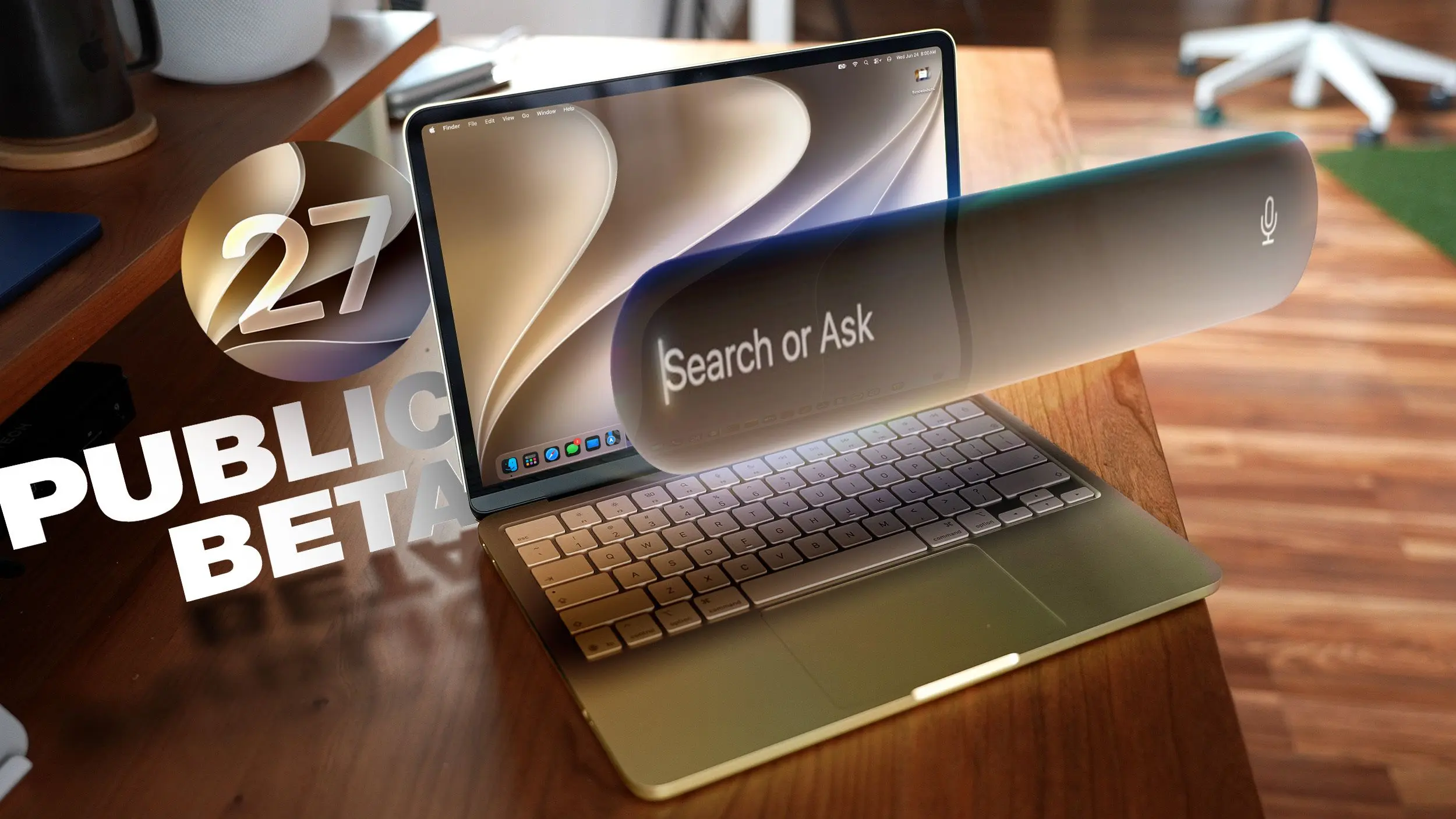
Apple has released the public beta of macOS 27 Golden Gate, allowing users to try out new features such as Siri AI and a redesigned interface before the official launch this fall. The beta is available to anyone enrolled in Apple's public beta testing program, and while it is relatively stable, it is still a work in progress. Users are advised to install it on a secondary device and create a backup before proceeding.
Liquid Glass
One of the most noticeable changes in macOS Golden Gate is the addition of a Liquid Glass slider. This feature allows users to adjust the transparency level of the glass-like interface elements. You can choose a clearer variant that lets more of the background show through or a more opaque version for better legibility. The slider provides granular control, letting you find a perfect balance. Apple has also refined the overall opacity of Liquid Glass, improving the diffusion of complex content behind navigation bars and buttons. Darkened edges and brighter specular highlights add depth and separation, making the interface feel more three-dimensional and polished.
Toolbars, Sidebars, and Windows
macOS Golden Gate introduces uniform toolbars across apps, making text headings and groups of controls more legible. Apple has reduced the number of icons used in menu interfaces, simplifying the visual clutter. Windows now have consistent corner radii, resulting in a more harmonious look. Changes to window shadows, combined with the Liquid Glass updates, make it much easier to identify the active window when multiple apps are open. Additionally, sidebars have been redesigned to be edge-to-edge rather than floating, creating a less distracting layout. Sidebar icons once again incorporate color, adding a touch of vibrancy to the interface.
Siri AI
The biggest change in macOS Golden Gate is the introduction of Siri AI. Siri has been transformed into a smarter, more capable chatbot-like assistant. On the Mac, you can invoke Siri through the Spotlight interface using Command+Space. Spotlight now serves as a unified "Search or Ask" bar, allowing you to search for files and apps or ask Siri to perform tasks or answer questions. You can also interact with Siri via a dedicated Siri app, which stores past conversations and syncs across all your devices. Siri can see what is on your screen and access personal information such as emails, messages, and photos to provide contextually relevant answers. It can also search the web and complete tasks within apps, representing a significant leap forward from previous versions.
Visual Intelligence
Apple has brought the iPhone's Visual Intelligence feature to the Mac. This allows you to ask Siri questions about content displayed on your screen, either for the entire screen or a selected portion. You can activate Visual Intelligence by pressing Command+Shift+Space or Command+Shift+6 to capture a specific area. Alternatively, using Command+Shift+5 brings up a screenshot tool with a Visual Intelligence icon that lets you draw a selection square. Siri can then search for images, summarize text, translate languages, identify objects, add information to apps like Calendar or Reminders, and answer questions about what you are viewing. The feature includes all the capabilities of its iPhone counterpart, such as providing nutritional information for food or splitting a bill.
Write with Siri
A new system-wide feature called Write with Siri extends the Apple Intelligence Writing Tools first introduced in macOS Tahoe. Siri can now compose entire emails or messages, offer feedback on your writing, suggest alternative words, and perform other editing tasks. To use it, right-click in an app and choose the "Ask Siri" option. If you have selected text, you can ask for editing help; if you have a blank document, you can ask Siri to generate content. When drafting emails or messages, Siri can analyze your past communications to generate text that mimics your personal style. Additionally, spell correction has been expanded to include grammar suggestions and fixes, making the writing experience more robust.
iPhone Mirroring
In macOS Golden Gate, the iPhone Mirroring window can now be resized. Simply drag from a corner to make the window larger or smaller. While some apps may restrict the display to a portrait iPhone aspect ratio, other apps support iPad or landscape layouts, giving users more flexibility when working with their iPhone on the Mac.
Shortcuts
Creating shortcuts has become much more accessible in macOS Golden Gate. The Shortcuts app now opens to an interface that lets you describe what you want the shortcut to do using natural language. AI then generates the shortcut automatically, and you can refine it with further natural language commands or manually edit it. Shortcuts can be activated via the app or through Siri commands, making automation easier for everyone, not just power users.
Safari Extensions
Safari introduces a customizable extension feature in this update. You can use the "Describe Extension" option to type in what you want an extension to do, and AI will create it on the spot. From the settings icon in the URL bar, you can select this option and specify tasks like displaying a reading time estimate, closing duplicate tabs, highlighting a word, creating a focus timer, or even drawing a flower every time you open a new tab. This makes it possible to tailor Safari to your needs without searching for third-party extensions.
Safari Tab Grouping and Notifications
Safari also gains intelligent tab grouping. Tabs that are related are automatically grouped together in the tab view, helping you keep your browsing organized. Additionally, you can set Safari to monitor a webpage for updates, with options for hourly, daily, weekly, or monthly checks. When content on the page changes, you receive a notification, which is useful for staying up to date with news, prices, or other dynamic content.
Performance Improvements
Beyond the new features, macOS Golden Gate includes numerous performance enhancements. Apple has cleaned up underlying code to speed up animations and interactions. Scrolling in Safari and other apps is smoother, and actions like opening Mission Control or switching between Spaces feel more responsive. AirDrop transfers complete faster, browsing networked devices is quicker, and window positioning on external displays is more stable. Messages sync more reliably across devices. Apple has also rebuilt the search foundation for Spotlight, Photos, Mail, and Messages, resulting in faster indexing. Recent searches are more likely to yield immediate results, and Mail search now uses a ranking system to surface the emails you are most likely looking for. Spotlight suggestions have become more relevant, making it easier to find what you need.
macOS Golden Gate runs on Macs with an M1 chip or later, including the A18 Pro MacBook Neo. Intel-based Macs are not supported and will not receive these new features. Every compatible Mac supports Apple Intelligence and Siri AI, though some on-device Siri processing features, such as selecting a natural voice and upgraded dictation, require an M3 or later. Note that Siri AI will not be available in the European Union or China at launch, and this limitation will persist when the update is officially released this fall.
Source: MacRumors News