

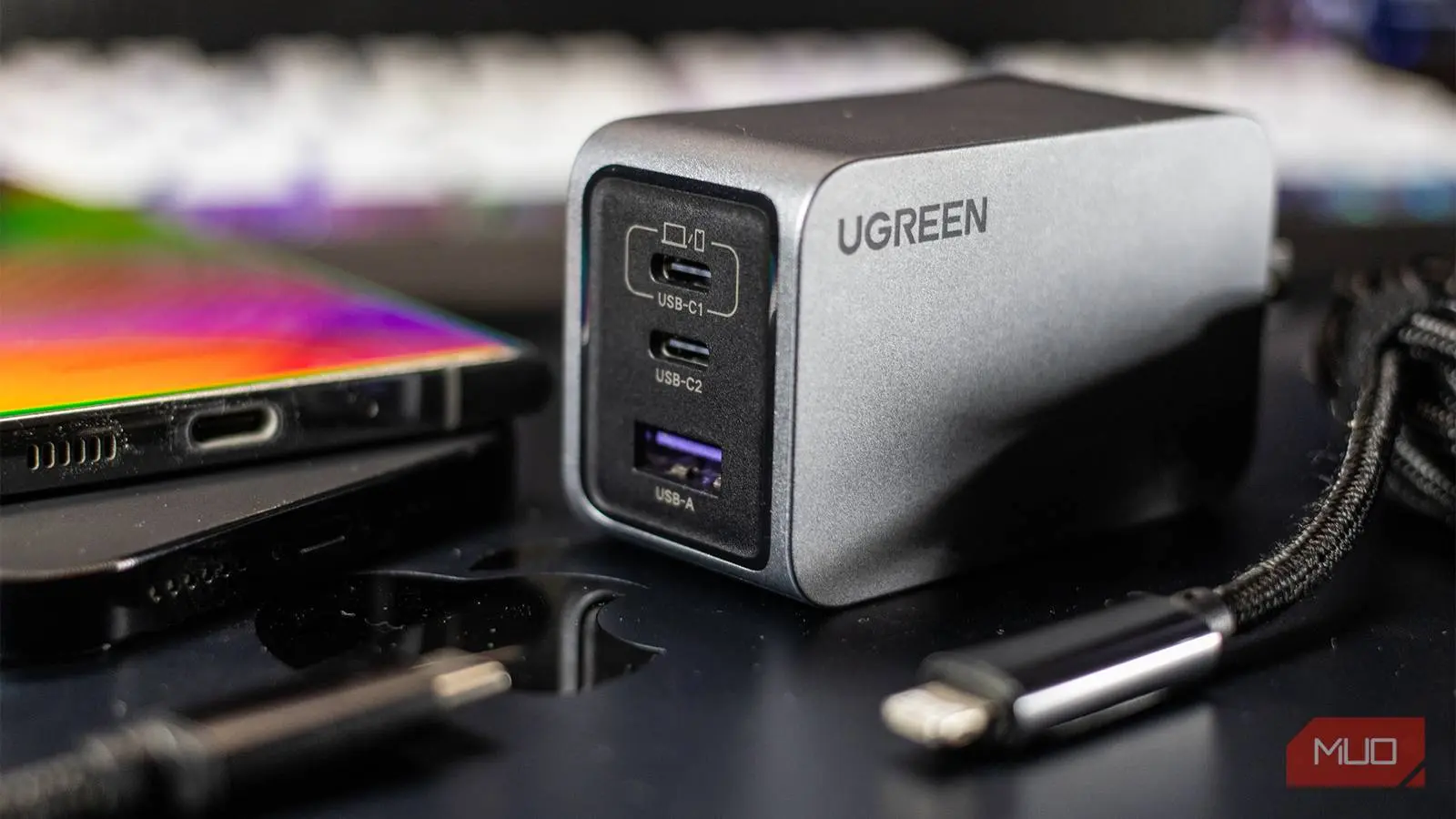
Buying a phone charger wasn't even something you had to think about back when brands were nice enough to include one in the box. Those days are mostly gone. And if you've gone charger shopping recently, you probably know how confusing it can get with all those wattage numbers and acronyms like PD, PPS, and GaN. I've been there too. But once you know what they each mean, picking the right charger gets a lot simpler.
Buying the right phone charger can be confusing
It's no longer just about USB-A or USB-C
The biggest reason why buying a charger can be confusing is that almost every charger will technically work with your phone. It's no longer just about getting a charger with the right port. Yes, USB-C is everywhere, and it should have simplified things — but that hasn't happened. That means even if two chargers look identical, they might perform completely differently.
You can use a 5W charger from five years ago, and your phone will still charge. But "works" and "works correctly" aren't the same thing here. Beyond wattage, you need to see if the charger supports advanced charging tech like PD, PPS, and GaN. Again, your phone still will charge without these, but you might be leaving a ton of speed on the table, or paying a premium for wattage your phone can't even use.
The shift away from including chargers started with Apple in 2020, citing environmental reasons, and many Android manufacturers followed. This has led to a booming aftermarket for chargers, but also widespread confusion. The key is understanding that modern charging is a negotiated process between the device and the power source — a far cry from the old days of a fixed 5V output.
USB PD, PPS, QC, and GaN all mean different things
A plain-English breakdown of each term
When buying a charger, you'll run into terms like PD, PPS, QC, and GaN on them. Each one essentially tells you what's special about the brick.
USB Power Delivery (USB PD) is a charging standard that lets a charger and your phone negotiate how much power gets delivered. So instead of supplying a fixed voltage, the charger and device can talk to each other and agree on the safest, fastest combination. Almost every modern Android phone supports it, and it's the reason why some chargers can fast charge your phone, laptop, and even a pair of earbuds without frying any of them. USB PD has evolved through versions like 2.0, 3.0, and the latest 3.1, which supports up to 240W over a USB-C cable. For most phones, a 20W-45W USB PD charger is sufficient, but for laptops, 60W-100W is common.
Programmable Power Supply (PPS) does the same thing as USB PD, but slightly better. Instead of adjusting the power in phases, it does it continuously. That means a PPS charger can keep the heat low and efficiency high, which is good for long-term battery health. PPS works by allowing voltage adjustments in very small increments (as little as 20mV), rather than the fixed voltage steps of standard PD. This is particularly beneficial for Samsung's Super Fast Charging 2.0 (45W) and Google's Pixel adaptive charging, as these phones dynamically request precise voltages.
Then there are proprietary technologies from different companies. For instance, Qualcomm has Quick Charge (QC) for phones running Snapdragon chips (though it is licensable by non-Snapdragon devices), and it comes in different versions, so you want to pick the highest one your phone supports. QC 4+ and QC 5 are backward compatible with USB PD. Phone brands have their own protocols, like OPPO's SuperVOOC, OnePlus' Warp Charge, Huawei's SuperCharge, and Motorola's TurboPower. These typically need both the charger and the phone to be from the same brand to get those advertised charging speeds. However, most of these proprietary solutions are now moving toward USB PD PPS compatibility to some extent.
Gallium Nitride (GaN) is a different thing entirely. It's not related to a charging protocol but rather the material used inside the charger itself. Traditional chargers use silicon components, but GaN chargers use a newer semiconductor that runs more efficiently and generates less heat. The obvious benefit of this is a charger that's significantly smaller and lighter for the same wattage. GaN chargers also tend to have better thermal management, meaning they can maintain high charging speeds for longer without throttling. The technology has become mainstream since about 2020, and prices have dropped considerably, making GaN chargers a great choice for travelers and anyone who wants a compact power brick.
More watts don't always mean faster charging
Stop chasing the highest number
This is probably the most common mistake people make when buying a charger. Wattage isn't something the charger decides alone. Your phone has a maximum charging rate built into it, and it'll never exceed that, no matter what you plug in. For instance, my Galaxy S26 tops out at 25W, which means there's no point in buying a 45W charger. It'll be as effective as a 25W one. The same applies to iPhones, which max out at around 20W for the standard models, while the Pro Max may reach 27W. Using a 100W charger on such phones will only deliver 20-27W.
There's another wrinkle. The wattage you see mentioned on the charger's box is a maximum output, not a guarantee of what each device will get. So if you get one of those multi-port chargers, don't expect it to charge all your devices at the maximum rate mentioned on the box. The charger will split the output between connected devices, and the exact split depends on the charger itself. So the short version is, check your phone's max charging wattage first, then buy a charger that matches it. To find that number, look up your phone specsheet on the manufacturer's website or use apps like Ampere or Battery Guru to measure real-time charging current.
The cable matters just as much
You can buy the perfect charger and still end up with slow charging if the cable doesn't keep up. If your phone and charger are both capable of 65W, but the cable maxes out at 15W, that's what you'll get. This usually isn't a problem, since most manufacturers still include the cable inside the box (at least for now). But yes, if you're using a spare one for your office or travel bag, don't just grab a random USB-C cable. USB-C cables have embedded chips (e-marker) that tell the charger how much power they can handle. A standard cable might be rated for 60W, while a certified one can handle 100W or even 240W (with USB PD 3.1). Always look for cables with USB-IF certification to ensure safety and performance.
Finally, with both the charger and the cable, stick to a reputable brand. You might find a no-name charging brick or cable with the same specs on the packaging, but you'll have to take their word for it. There's a lot that these cheap chargers leave out, and it's not worth saving a few bucks to find out. Counterfeit chargers can damage your device's battery or even cause a fire hazard. Trusted brands include Anker, Belkin, Spigen, Aukey, and the phone manufacturer's own accessories. Many of these brands now offer GaN chargers with multiple ports, making them an excellent investment for charging phones, laptops, earbuds, and tablets simultaneously.
Additionally, consider your use case. If you travel frequently, a compact 65W GaN charger with two USB-C ports may be ideal. For home use, a larger 100W desktop charger with multiple ports can keep all your devices topped up. Don't forget about wireless charging pads, which also rely on standards like Qi and the newer Qi2 with magnetic alignment. But that's a topic for another guide.
By learning the basics of USB PD, PPS, QC, and GaN, you can confidently pick a charger that matches your phone's capabilities without overpaying. Always prioritize compatibility and safety over raw wattage. And remember, a good cable is just as crucial as the brick itself.
Source: MakeUseOf News