

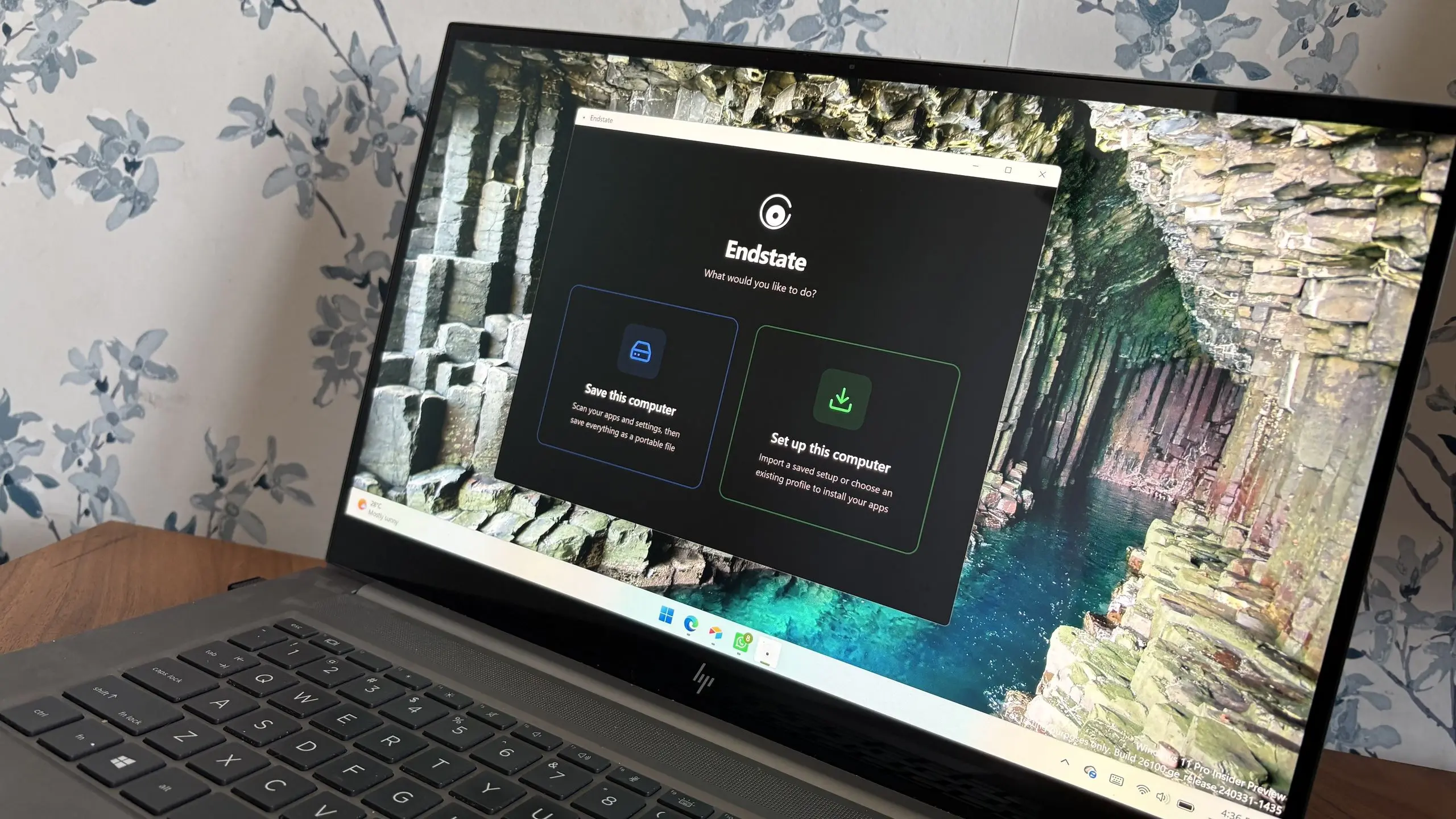
Setting up a new Windows PC has always been a ritual of mixed emotions. The excitement of unboxing shiny hardware quickly gives way to the tedious grind of installing updates, chasing missing drivers, debloating pre-installed software, and re-entering settings that were wiped away by the refresh. One developer decided that enough was enough. The result is Endstate, a new application that targets the most dreaded phase of the Windows experience: the fresh setup. In a recent conversation, the developer behind the project walked me through what motivated the tool and how it plans to make the process feel almost effortless.
Endstate is not just another driver updater or a script that runs a few PowerShell commands. It is a purpose-built utility that combines multiple setup-related tasks into a single, guided workflow. The developer, who has spent years working on Windows system administration tools, explained that the idea came from personal frustration. “Every time I rebuilt my machine or set up a laptop for a family member, I would lose an entire afternoon to the same steps over and over,” they said. “Downloading drivers from manufacturer websites, disabling notification spam, changing default apps, and configuring privacy settings—nothing was impossible, but everything was time-consuming. I started writing small scripts for myself, and eventually those scripts turned into a product.”
The Endstate Approach
At its core, Endstate aims to be the last stop after Windows installation finishes. The app presents a series of optional modules that users can toggle on or off, allowing them to customize exactly how much of the setup process should be automated. The developer was keen to emphasize that Endstate is not about forcing a particular configuration on users. “We are not here to tell people what their PC should look like,” they explained. “We just remove the repetitive, error-prone manual work. If someone wants to keep every Microsoft Store app and every default setting, that’s totally fine. Endstate simply makes the process faster for those who want to change things.”
One of the most interesting aspects of Endstate is how it handles driver installation. Rather than relying on a single bundled driver pack that might be outdated or bloated, Endstate scans the hardware and pulls the correct drivers from reliable sources. The developer noted that this was one of the trickiest parts to build. “Windows Update already provides many drivers, but it can miss peripherals or install older versions. Our system uses a combination of Windows Update APIs, manufacturer database checks, and community-maintained repositories to find the best match. We also let the user review everything before installation, so nothing is applied without consent.”
Beyond Drivers: System Tuning and Debloating
Drivers are only one piece of the puzzle. Endstate also includes a curated set of system tweaks that address common annoyances. Users can disable startup programs that slow down boot times, turn off telemetry and targeted ads, remove preinstalled apps that they never use, and adjust default settings for file explorers, taskbar behavior, and privacy controls. The developer mentioned that the debloating feature was heavily inspired by the open-source community. “There are many excellent scripts and tools out there that do some of this work, but they often require a lot of technical knowledge to run safely. Endstate wraps those ideas into a safe, reversible interface. Every change is logged, and you can undo most modifications with one click.”
Reversibility is a key principle. The developer said that many users are understandably nervous about running automation on a new PC. “Nobody wants to break their system right after setting it up. That’s why Endstate creates a restore point before it does anything and also keeps a detailed log of each change. If something doesn’t feel right, you can roll back. That takes away the fear factor.”
Understanding the Developer
The person behind Endstate has a long history in the Windows ecosystem, though they prefer to stay out of the spotlight. Their career started in IT support, where they saw countless users struggling with the same setup problems. Later, they moved into software engineering and worked on enterprise deployment tools, which gave them insight into how large organizations automate system configuration. “In the enterprise world, you have tools like MDT and SCCM that can deploy a fully configured Windows image in minutes. For individual users and small businesses, all that automation is out of reach. I wanted to bring a slice of that enterprise magic to a consumer app.”
That enterprise background is evident in Endstate’s architecture. The app uses a declarative configuration model, meaning users can save a “profile” of their preferred settings and reuse it on multiple PCs. This is especially handy for power users who maintain several machines. “I build a profile once, and then every time I set up a new PC, I just import that profile and let Endstate do its thing. It saves hours.” The developer added that profiles can be exported as a simple file, which can also be shared with others, though they recommend reviewing any imported profile carefully to avoid blindly applying unknown changes.
Supported Hardware and Software
Endstate currently supports Windows 10 and Windows 11, both 64-bit versions. The developer explained that the tool is designed to work with a wide range of hardware, including laptops, desktops, and even small-form-factor PCs. “We test on major brands like Dell, Lenovo, HP, and ASUS, but the app also works well on custom-built machines. The driver engine is hardware-agnostic because it queries the system’s device IDs and matches them against a database. If a driver is not found, the app falls back to Windows Update or the manufacturer’s website.”
One notable limitation is that Endstate does not support ARM-based Windows PCs yet. The developer said that ARM support is on the roadmap but requires additional work because the driver ecosystem is different. “It’s a niche but growing market. We’re keeping an eye on it, and hopefully we’ll have a beta for ARM devices later this year.”
Privacy and Security Concerns
Any tool that automates system configurations raises questions about trust. The developer acknowledged this and emphasized that Endstate runs entirely locally. “No telemetry, no account required, no cloud processing. The app works offline. The only time it reaches out is to check for driver updates, and that connection is made directly to the manufacturer or to Windows Update. We don’t collect any personal data, and we don’t have a proprietary cloud service that could be compromised.”
The app is also signed with a code-signing certificate to avoid triggering SmartScreen and other security warnings. “We invested in a proper signing certificate because an unsigned tool that changes system settings would rightly be viewed with suspicion. We want users to know that Endstate is a legitimate product and that their security is a top priority.”
The Road Ahead
Endstate has already attracted attention on social media and tech forums, particularly among enthusiasts who regularly clean install Windows. The developer said the feedback has been overwhelmingly positive, though there are always requests for more features. “People are asking for a command-line interface, integration with winget, and support for third-party debloat lists. Those are all interesting ideas. We want to keep the app approachable for beginners, but we also want to provide advanced options for those who want them.”
One upcoming feature is a “setup checklist” that guides first-time users through the most important decisions, such as creating a local account, setting up OneDrive, and configuring Windows Hello. “A lot of people don’t realize that some settings can be changed later easily, while others are a hassle. The checklist will help them make informed choices during the initial setup, so they don’t have to go hunting through menus later.”
The developer also hinted at a possible portable version of Endstate that could be run from a USB drive. “That’s something I use myself when working on friends’ computers. A portable version would let you plug in a drive, run Endstate without installing anything, and fix up a PC that’s already halfway through setup. It’s on the list, but it’s not the priority right now.”
Why Windows Setup Still Feels Outdated
Even in 2025, setting up a fresh Windows PC can feel surprisingly old-school. The process has improved with cloud accounts and automatic driver updates, but there are still dozens of steps that require manual intervention. The developer argues that this is a fundamental gap in Microsoft’s philosophy. “Microsoft focuses on making the first boot easy for the average user, which is great. But the same simplicity becomes frustrating when you want to change things. The default experience is tailored to people who don’t care about tweaks. For everyone else, it’s a battle against defaults.”
Endstate steps into that gap by offering a single tool that speaks the language of power users while keeping the interface clean enough for beginners. The developer hopes that the app will also pressure Microsoft to rethink how setup works. “If enough people see how smooth a setup can be, maybe they’ll demand a more flexible OOBE (out-of-box experience) from Windows itself. I’d love to see an official ‘advanced setup’ mode that includes many of the tweaks Endstate provides. But until then, we’re happy to fill that role.”
When asked whether Endstate is a one-time tool or a long-term project, the developer was clear: “I see this as a living tool. Windows changes, drivers change, and user needs change. We plan to keep updating Endstate with new features and support for new hardware. This is not a side project that will be abandoned. It’s the beginning of a company.”
The developer also shared some advice for anyone about to set up a new Windows PC: “Don’t do it all in one night. Use a tool like ours if you want speed, but also take your time to explore what Windows offers. The best PC setup is the one that feels right for you. If Endstate can get you to that point faster, then we’ve done our job.”
Source: Windows Central News