

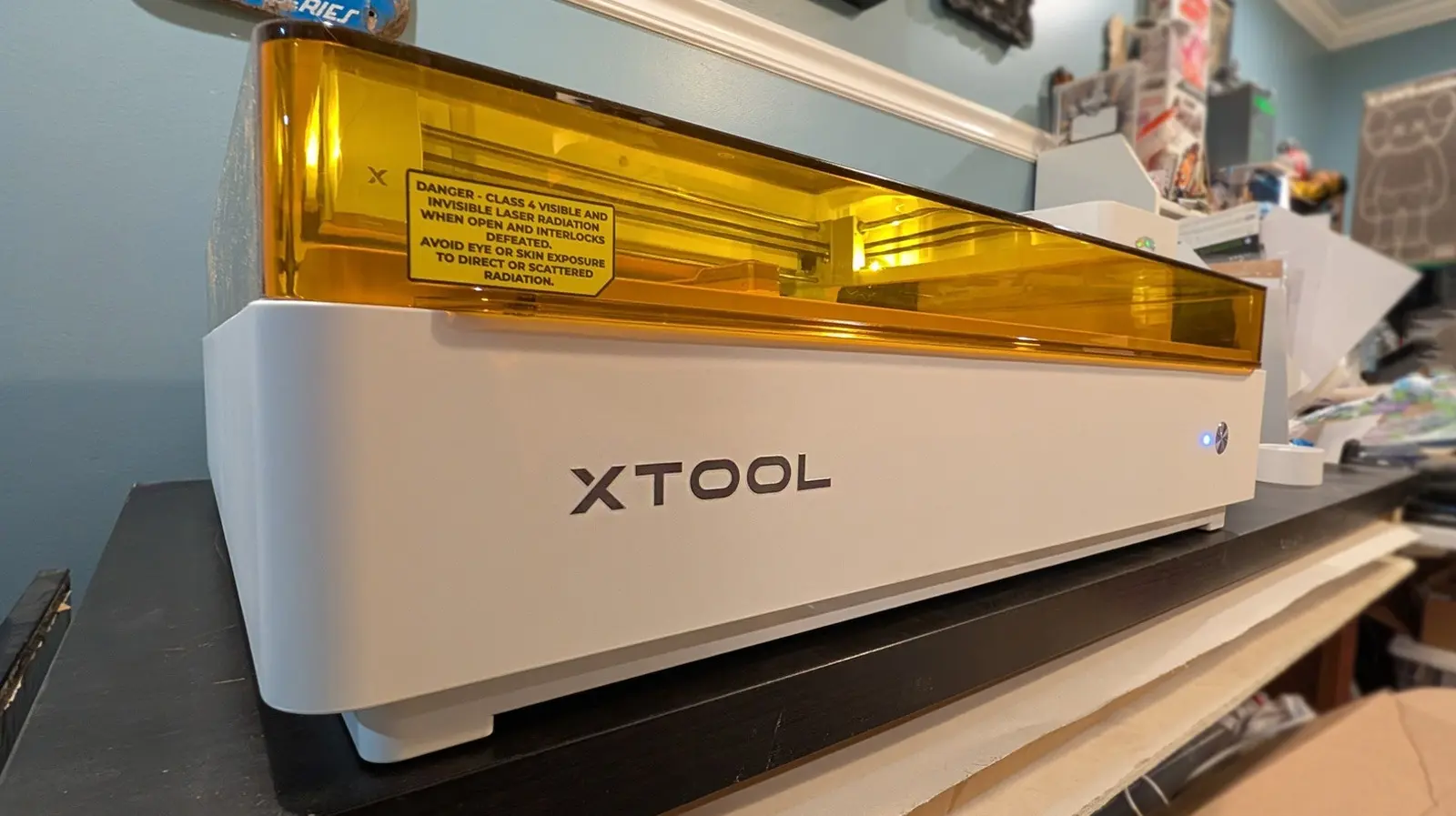
The xTool M2 is a versatile creative tool that allows users to laser cut and print with multiple colors of ink. It is the latest addition to xTool's line of similar devices, following the M1 Ultra released in 2024. While the M1 Ultra is more expensive and offers slightly more versatility, the M2 aims to strike a balance between features, size, and cost. It is marketed as a space-saver, addressing one of the biggest frustrations for DIY enthusiasts: the ever-increasing footprint of desktop gadgets and tools.
For creators working from a desk or workbench, each new machine adds to the clutter. Much like a kitchen counter cluttered with appliances, a workspace can quickly become overwhelmed with separate devices for laser cutting, printing, drawing, and engraving. The xTool M2 proposes a solution by merging laser cutting and inkjet printing into a single machine, thereby reducing the number of tools required. But does it go far enough in saving space and providing the functionality needed for serious projects?
Space-Saving Design and Setup
Both the M1 Ultra and the M2 occupy approximately the same footprint. The M1 Ultra measures 24.4 x 19.6 inches, while the M2 is 24 x 22.4 inches. Both are 7 inches tall when closed. Internally, the M2 offers a processing area of 16.7 x 12.5 inches, which is slightly larger than the M1 Ultra's 11.8 x 11.8 inches. While the difference in overall size is negligible, the M2's larger work area allows for bigger projects.
For those replacing separate laser cutting and inkjet printing machines, either xTool M-series option will reduce the total desk footprint. The M2's module swapping system is one of its most user-friendly features. Modules attach magnetically and connect via USB-C, making swaps quick and tool-free. However, this magnetic design means the M2 cannot use modules that require physical pressure, such as pens, foil transfer, or blade cutting. Users who need those capabilities must opt for the M1 Ultra.
Laser Cutting Performance and Printing Capabilities
The xTool M2 ships with a 10W blue diode laser module, with optional upgrades to 20W blue diode or 3W IR lasers. In testing, the 10W laser performed flawlessly on a variety of materials, including wood, acrylic, and leather. The laser cuts and engraves with precision, and the xTool Studio software provides a robust offline interface that does not require an internet connection, unlike competitors such as Glowforge.
The M2's inkjet printing module uses a proprietary 40ml CMYK ink cartridge, significantly larger than the 15ml cartridge used in the M1 Ultra. This allows for longer print runs before needing replacement, but the cost per cartridge is $99. The printer is not designed for multi-page document printing; it lacks paper feed rollers and is intended for single-item printing on various surfaces. Results on paper, cardstock, and temporary tattoo paper are excellent, but color accuracy is limited compared to traditional inkjet printers. The M2 requires pre-treatment for surfaces like wood, canvas, glass, acrylic, and satin fabric, and all prints remain water-soluble, making them unsuitable for washable fabrics.
Price, Value, and Versatility
The base price for the xTool M2 is approximately $550, while the M1 Ultra starts at $900. The M1 Ultra includes a wider range of modules out of the box, such as a rotary blade, fine-point blade, cutting blade, foil transfer tip, and pens. The M2's base package includes only the 10W laser module. A $700 bundle adds the CMYK ink module, bringing the M2 closer in capability to the M1 Ultra but still lacking the drawing and blade-cutting features.
The M1 Ultra was first released in July 2024, and as of June 2026, its 20W laser module is sold out. This suggests that the M1 Ultra may be nearing the end of its lifecycle, leaving the M2 as the primary option for xTool's modular platform. However, the M2's modules are not backward-compatible with the M1 Ultra or future devices, meaning any investment in modules is locked to the M2. This limits long-term upgradeability, a concern for users who value modularity and future-proofing.
xTool's Family of Machines and Software
xTool offers a range of laser engraving and cutting machines beyond the M-series. The F2 is a portable laser engraver with a small enclosed stage but can also engrave on large surfaces by opening the bottom. The P-series is a heavy-duty line that starts at over $3,000 and is built for industrial use. For users who only need laser cutting, the F2 is a more compact and affordable option. The M2 sits in the middle, targeting users who need both laser and inkjet capabilities without the higher price of the P-series or the limited features of the F2.
The xTool Studio software is a major advantage over competitors. It operates entirely offline, requiring no internet connection for design or operation. This is a significant benefit for users in areas with unreliable internet or those who prefer not to rely on cloud-based systems. The software is intuitive and supports a wide range of file formats, including SVG, DXF, and PDF. It also integrates with design tools like LightBurn and Adobe Illustrator, though some advanced features are best accessed through those third-party programs.
Longevity and Future Prospects
While the xTool M2 is a solid machine for its current toolset, its long-term value is limited by module compatibility. Each M-series device uses proprietary modules that are not interchangeable across generations. If xTool eventually releases an M2 Ultra or similar model, users would need to purchase new modules, negating the investment in M2 accessories. This is a drawback for the modular concept that xTool promotes. The company has not announced any plans for future modules or devices, leaving users to speculate.
In the current market, the xTool M2 competes with devices like the Glowforge Aura and the Snapmaker 2.0. The Glowforge Aura requires an internet connection for all operations, which many users find restrictive. The Snapmaker 2.0 offers more modules, including a CNC carving tool, but has a larger footprint. The M2's combination of laser and inkjet in a relatively compact package is unique, but the lack of drawing and cutting modules may steer some users toward the M1 Ultra or other all-in-one devices.
The xTool M2 does not completely solve the space problem for desktop DIY tools. It offers a practical combination of laser engraving and inkjet printing, saving space compared to separate machines. However, its limitations in color accuracy, water-soluble prints, and module incompatibility mean it is a stepping stone rather than a final solution. The xTool M-series is heading in the right direction, but future iterations will need to address these issues to truly bridge the gap for enthusiasts seeking a single, versatile machine that can handle all their creative needs.
Source: SlashGear News